Posts

Showing posts with the label Customization

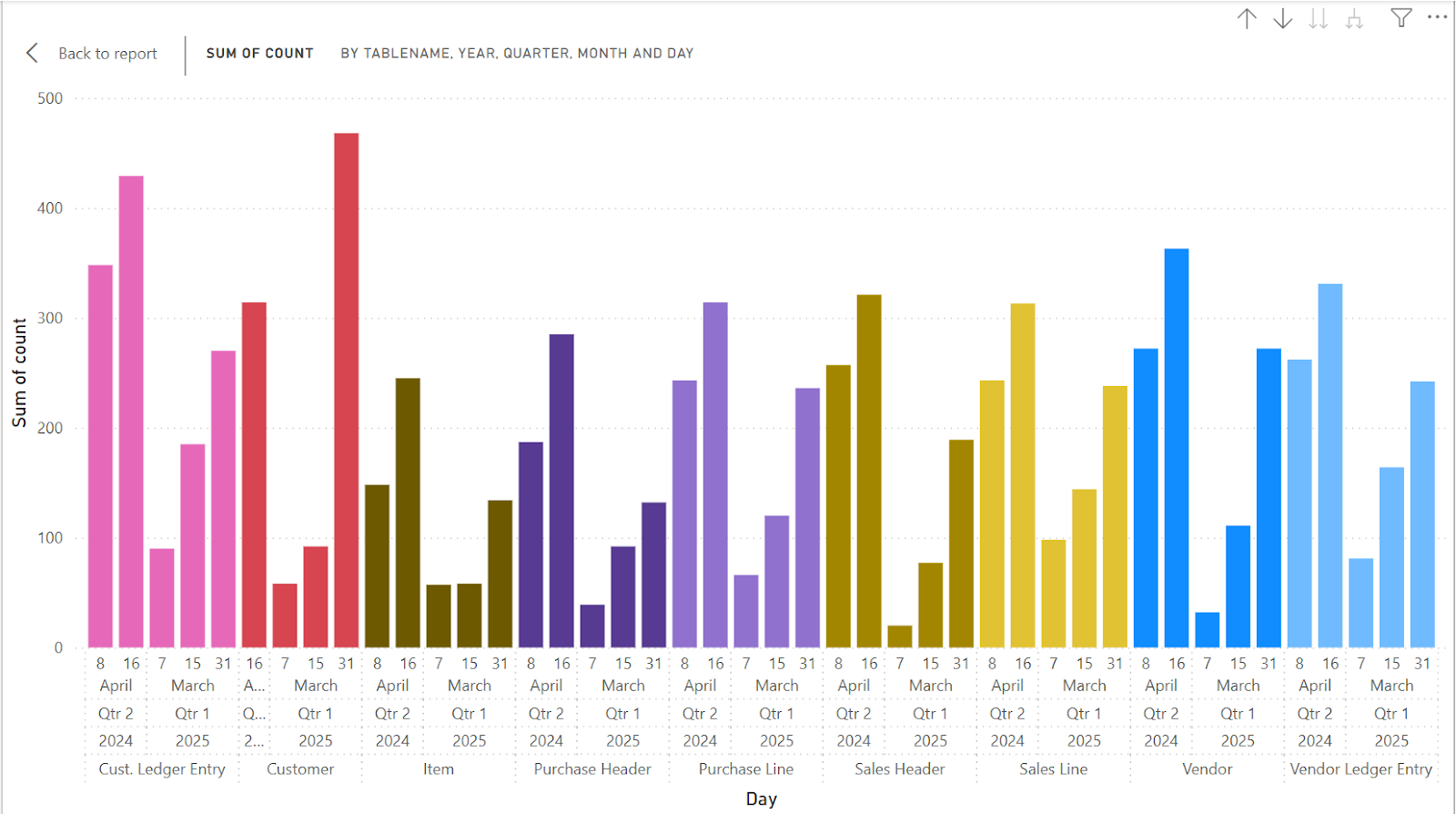
Know Your Users: Automated Usage Tracking for Better System Adoption
Image
Introduction After a new Business Central system goes live, it’s important to know if users are actually using it the way they should (Go-Live is just the beginning). Tracking usage statistics helps us understand how well the system is being adopted and where improvements might be needed. To make this easier, I’ve created a small utility that automatically collects user activity data and builds a report from it. This saves time and gives a clear picture of how the system is being used to the management. Here’s what it does: There’s a setup page where you can choose how stats are collected and skip certain users (like consultants or support team members who create test data). A configuration page lets you pick which tables to track. You can also set how often stats should be gathered using a frequency field; it even sets up the background job for you. A report which summarises the generated data in a neat matrix. With this tool, keeping an eye on system adoption becomes simple and autom...

Event-Driven Architecture: How to Create Custom Business Events in Business Central

Image
Introduction Events are notifications that signal something has happened in the system. A record getting created, updated or deleted, a sales order getting posted, etc are all examples of events. An event driven architecture provides asynchrony and decoupled communication between different components of the system supporting flexibility, scalability and modularity. In Business Central, we have two main types of events - Business and Integration. Integration Events are related to things within Business Central. They are use for extending the functionality of the Base Application without modifying it directly. Business Events are related to things outside of Business Central. They are used for notifying external systems (e.g., via Power Automate or Logic Apps) regarding any changes that happen within Business Central. Microsoft allows us to create custom Integration and Business Events based on our requirements. In this blog, we'll see how to create a custom Business Event and...

Optimizing Data Management in Business Central using Retention Policies

Image
Introduction Data retention policies dictate which data should be stored or archived, where it should be stored, and for how long. When the retention period for a data set expires, the data can either be deleted or moved to secondary or tertiary storage as historical data. This approach helps maintain cleaner primary storage and ensures the organization remains compliant with data management regulations. In this blog, we'll be covering -  Retention Policies. Retention Period. Record Level Filters for Retention Policies. Using Custom Tables in Retention Policies. Pre-requisites Business Central environment References Data Retention Policy Clean up Data with Retention Policy - Microsoft Learn Details In Business Central, we can define Retention Policies based on two main parameters - The table which is to be monitored and the retention policy. Retention Policy Retention periods specify how long data is kept in tables under a retention policy.  These periods determine how often d...